4.3. Reports
This section displays completed sales. The upper part of the window shows a list of ZReports. The lower part shows the receipts belonging to the selected ZReport.
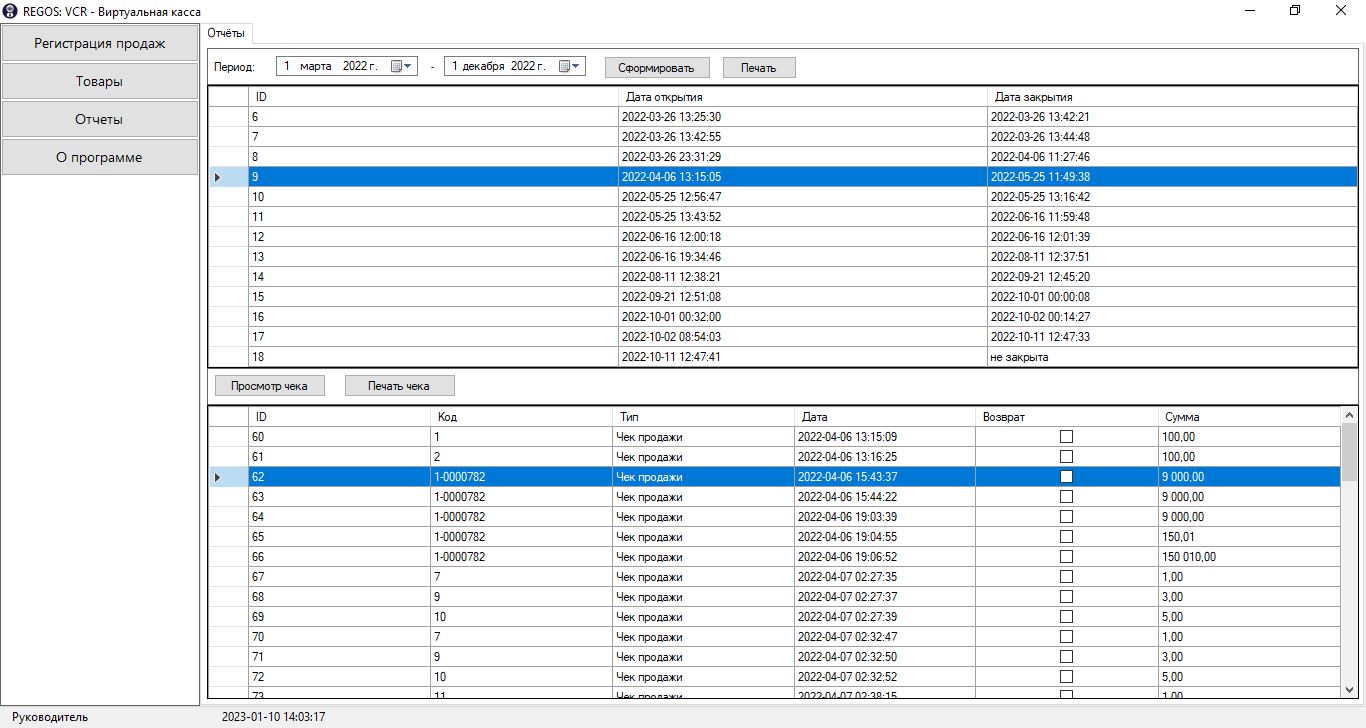
Buttons:
| Name | Description |
|---|---|
| Generate | Displays ZReports for the selected period in the upper table |
| Prints the selected ZReport on the printer | |
| View receipt | Opens the selected receipt in a separate window for viewing and printing |
| Print receipt | Prints the selected ZReport on the printer |
Data can be filtered by period. The filter uses the ZReport opening date.
View receipt
The "View receipt" window displays all receipt details.
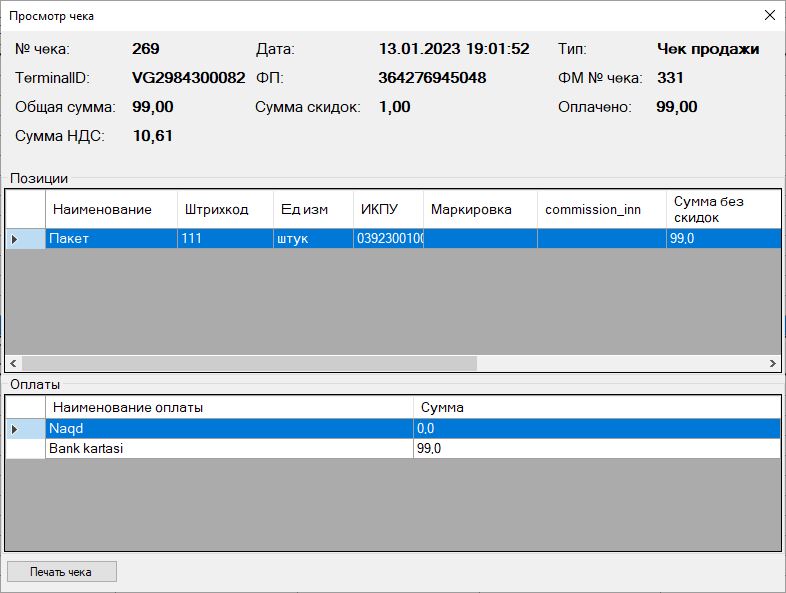
The upper part of the window shows the receipt parameters:
| Parameter | Value |
|---|---|
| Receipt No. | Receipt number in the application |
| TerminalID | Fiscal module serial number |
| Total amount | Amount due |
| VAT amount | VAT for all receipt items |
| Date | Date and time when the receipt was closed |
| Fiscal sign | Fiscal authentication sign |
| Total discounts | Sum of all receipt discounts |
| Type | Sale or refund receipt |
| FM receipt No. | Receipt number in the fiscal module |
| Paid | Amount paid for the receipt |
The upper "Items" table displays the receipt product items.
The lower "Payment" table displays the receipt payment type.